


UMR | Health
4.4209.00 Reviews
App Specs
- Version
- 2.31.0
- Updated On
- License
- Free
- Downloads
- 100,000+
- Developer
- UNITED HEALTHCARE SERVICES, INC.
- Categories
- Medical
- Platform
- Android
Screenshots
 Analysis by AppCompare
When someone in a household has a medical appointment, the insurance details are often needed at exactly the moment the paper card is nowhere to be found. I find a phone-based benefits app most useful for that small, practical problem: checking coverage information or a claim without digging through a folder. UMR | Health is built around that kind of access, though it works best as a personal account rather than a shared household record.
One phone, one member’s information
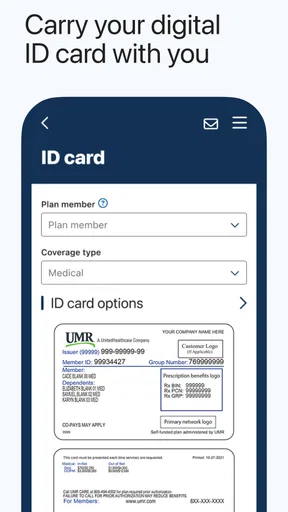
Picture a parent arriving at a clinic with a child and realizing the insurance card was left at home. Having the member’s digital ID card available in the app can make the check-in conversation easier. The useful distinction is that convenient access does not mean everyone in the household should use the same login. Health and benefits details are personal, so I’d keep each person’s account credentials private and use the app only for information the signed-in member is entitled to view.
That boundary matters on a shared tablet or a phone passed between relatives. Signing out when finished and avoiding saved credentials on a device used by other people are sensible habits. I would not treat the app as a family organizer or assume it can combine multiple members’ accounts into one view; its practical role is to let an account holder consult their own UMR information.
What to prepare before an appointment
Rather than waiting until the reception desk to learn how the app works, I’d sign in at home and locate the digital card first. That quick check helps confirm that the account is accessible and makes it easier to find the card when time is short. It’s also worth looking at claims and benefit details before calling a provider with a coverage question: the app can give you a useful starting point, while the provider or UMR remains the right place to resolve anything that needs a definitive explanation.
This is a good fit for people who regularly need to check claims, benefit use, or network providers while away from home. It is less compelling if you only need insurance information once in a while and prefer a physical card and phone support. I would also keep a paper or offline backup for situations where the phone battery is low or the connection is unreliable; digital convenience is helpful, but it should not be the only way you can reach essential details.
Coordination without sharing a password
Households often coordinate appointments, but that does not require sharing a health account. One person can use their own access to review their claims or provider options, then pass along relevant appointment logistics directly. For a dependent’s coverage question, the account holder should check what information their own UMR access makes available rather than assuming a relative’s sign-in will show it. This keeps the workflow simple and avoids turning a shared device into an open window onto someone else’s private information.
Compared with a paper folder, the app is easier to carry and can make a claim’s status or an ID card quicker to check. Compared with calling customer service, it may save time for straightforward lookups, but a screen cannot always explain why a claim was processed a certain way. I’d use the app to gather the details first, then contact UMR or the provider when the question involves a disputed charge, a coverage exception, or a decision that needs a person to review it.
Worth Reading Before You Choose

EA SPORTS FC Mobile 26 Is a Bigger Football Game, but It Takes Time

Flipboard Shows What News Apps Must Do Beyond the Feed

Switching to Android Auto Means Rethinking Your Driving Routine

Google Calendar Makes a Crowded Week Easier to Manage

Ludo King Makes the Most of the Minutes Between Plans

Baby Panda World Brings Quick Play to Modern Phones, but Its Game Library Feels Busy
Age, trust, and who should use it
The app is listed for Everyone, but that describes its content suitability, not whether every age group should manage an insurance account independently. A younger family member may need an adult to help with login and benefit questions, while an adult member may prefer to handle those details alone. I would avoid handing over a password simply for convenience; if someone needs help, staying present while the account holder checks the relevant screen is a more careful approach.
UMR | Health is published by UNITED HEALTHCARE SERVICES, INC. It is free, and its medical focus is clear: benefits, claims, provider search, and related insurance tasks rather than general health tracking or medical advice. On the store, it has a 4.2 average from around 2.2 thousand ratings, with over 100 thousand installs. Those figures suggest it has a meaningful user base, but they do not tell me whether its tools match a particular employer plan; the account’s own coverage information is what matters.
What to expect from the app
The app’s release date is December 1, 2022, and version 2.28.0 supports devices running Android 9 or later. I’d check that a phone meets that requirement before relying on it for an appointment, and keep the app updated so I’m using its current release. The main trade-off is that it depends on both a working device and successful account access. If either is unavailable, a physical card or direct contact with the insurer is the practical fallback.
For household coordination, the best approach is modest: let each member keep their own account, use the app to prepare for appointments, and share only the details needed to organize the visit. That avoids expecting one app login to solve every family insurance task. It also helps set realistic expectations about what a benefits tool can do: it can make information easier to reach, but it is not a substitute for a clear conversation when a claim or coverage decision is confusing.
Getting Started with UMR | Health
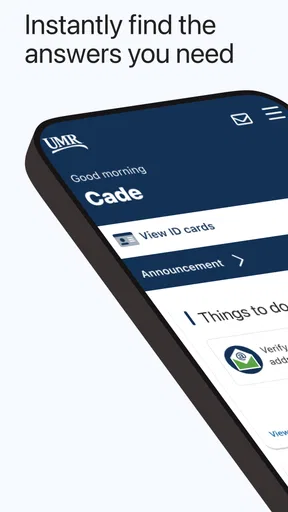
First things first, downloading the UMR | Health app is a breeze. Available on both Android and iOS, it’s just a tap away in your respective app store. Once installed, setting it up is straightforward. The app greets you with a clean and intuitive interface, making navigation as easy as pie. You’ll need to log in using your UMR credentials, which might feel like a bit of a chore if you’re not a fan of passwords, but hey, security first, right?
Features That Make Life Easier
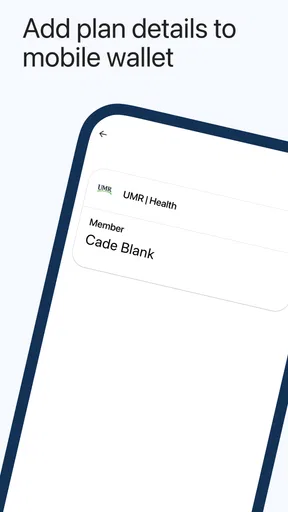
Now, let’s talk about what this app can actually do for you. One of the standout features is the ability to access your health insurance information anytime, anywhere. Imagine sitting at a doctor’s office and needing your insurance card, but realizing you left it at home. With UMR | Health, your digital ID card is just a tap away. It’s a lifesaver, literally!
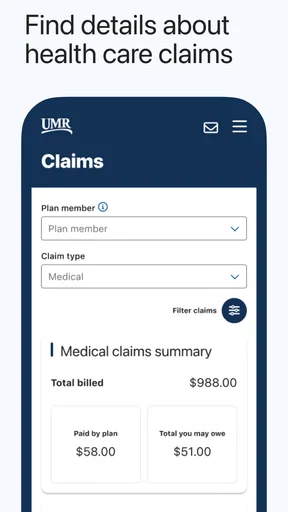
Another feather in its cap is the claims tracking feature. You can view your claims history and status, which is super handy. No more waiting on hold with customer service just to find out if that recent visit was covered. It’s all right there in the app.
Managing Your Benefits
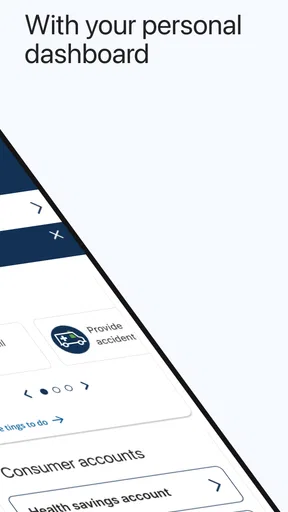
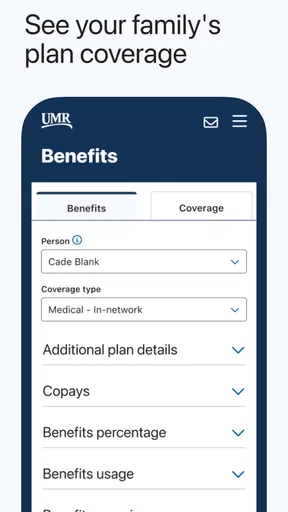
One thing I found quite useful is how the app helps you manage your benefits. It breaks down your coverage into easy-to-understand sections. Whether you're checking on your deductible or seeing how much of your benefits have been used, it's all presented in a user-friendly format. Plus, the app occasionally throws in some helpful tips to maximize your benefits, which is a nice touch.
Provider Search and More
What about finding a healthcare provider? The app's provider search feature is as slick as it gets. You can search for doctors, clinics, or specialists in your network, and even get directions to their office. It's like having a mini-Google Maps specifically for your healthcare needs. And if you're someone who travels a lot, this feature becomes even more valuable.
Then there’s the cost estimator tool. This nifty feature gives you an idea of what you’ll pay out of pocket for various services. It’s great for budgeting and avoiding surprises when that bill arrives in the mail.
Security and Peace of Mind
In today’s digital age, security is crucial, especially when it comes to personal health information. The app employs robust security measures to ensure your data is safe. While no system is foolproof, knowing that the app takes security seriously gives peace of mind.
A Few Quirks
Of course, no app is perfect, and UMR | Health has its quirks. Occasionally, the app can be a bit slow to load, especially during peak hours or if your internet connection is spotty. But these minor hitches are generally outweighed by the app’s utility.
If you’re not too tech-savvy, there might be a bit of a learning curve initially, but once you get the hang of it, everything is smooth sailing. The help section within the app is a great resource if you ever find yourself stuck.
All said and done, UMR | Health is a powerful tool for anyone looking to manage their health insurance more effectively. It’s packed with features that make life just a little bit easier, and isn’t that what we all want?
So, if you’re tired of the hassle that comes with managing health insurance, give this app a whirl. It might just be the digital companion you didn’t know you needed. Happy health managing!
Pros
- User-friendly interface for easy navigation.
- Comprehensive health tracking features.
- Personalized health tips and advice.
- Fast access to medical records and history.
- Secure data encryption for user privacy.
Cons
- Limited offline functionality.
- Occasional app crashes reported.
- Requires frequent updates for stability.
- Some features locked behind a paywall.
- Navigation can be slow on older devices.
FAQs for UMR | Health
What is UMR | Health, and what services does it offer?
UMR | Health is a comprehensive health management app designed to help users manage their health insurance plans, access medical benefits, and find healthcare providers. It offers features such as claim tracking, benefit details, and provider searches, making it easier for users to navigate their healthcare needs effectively.
How secure is my personal information on the UMR | Health app?
The UMR | Health app prioritizes user privacy and employs advanced encryption methods to protect your personal and medical information. It complies with industry standards and regulations, ensuring that your data is secure and only accessible by authorized personnel. Regular updates and security checks are conducted to maintain data integrity.
Can I access my health insurance information offline with UMR | Health?
While the UMR | Health app primarily requires an internet connection to access real-time data, some features, such as previously viewed claim details or downloaded documents, can be accessed offline. However, for the most accurate and updated information, an internet connection is recommended.
Is UMR | Health compatible with all health insurance providers?
UMR | Health is specifically designed for users with health plans managed by UMR. If your health insurance provider is not under UMR, the app may not be compatible. It’s important to verify with your insurance provider or UMR customer service to ensure compatibility before downloading the app.
How user-friendly is the UMR | Health app for new users?
The UMR | Health app is designed with a user-friendly interface that makes navigation simple even for new users. It includes intuitive menus, clear instructions, and a robust help section. Additionally, the app offers tutorials and customer support to assist users in understanding and utilizing all available features effectively.


